
Uninstall / Four steps
Uninstall Melodixs
Follow the steps below to remove Melodixs from your computer.
-
Uninstall
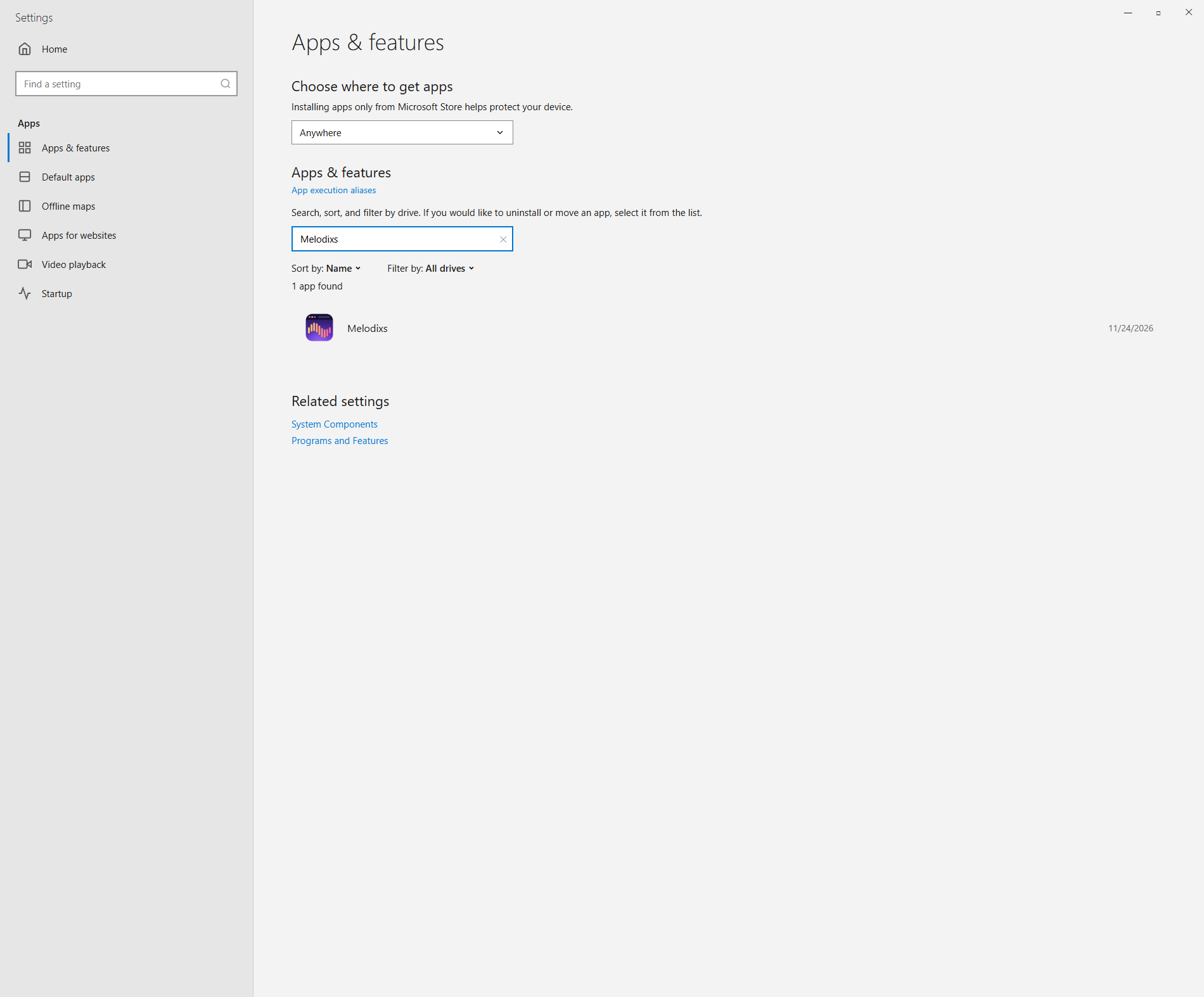
Open Add/Remove Programs
Open Windows Settings, navigate to Apps & features, and find Melodixs in the list of installed applications.
-
Uninstall
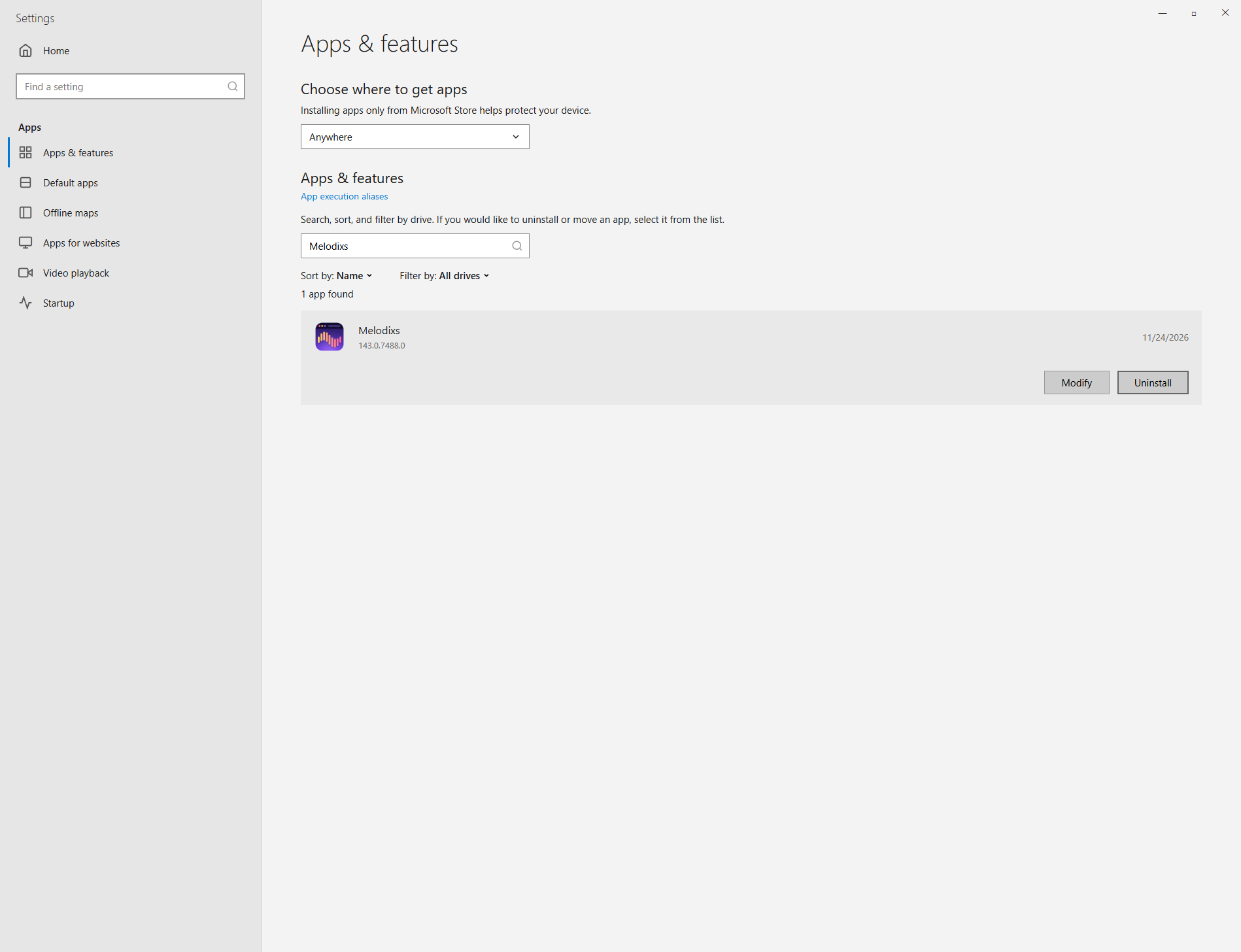
Select Melodixs
Click the Melodixs entry to select it, then click the Uninstall button that appears.
-
Uninstall
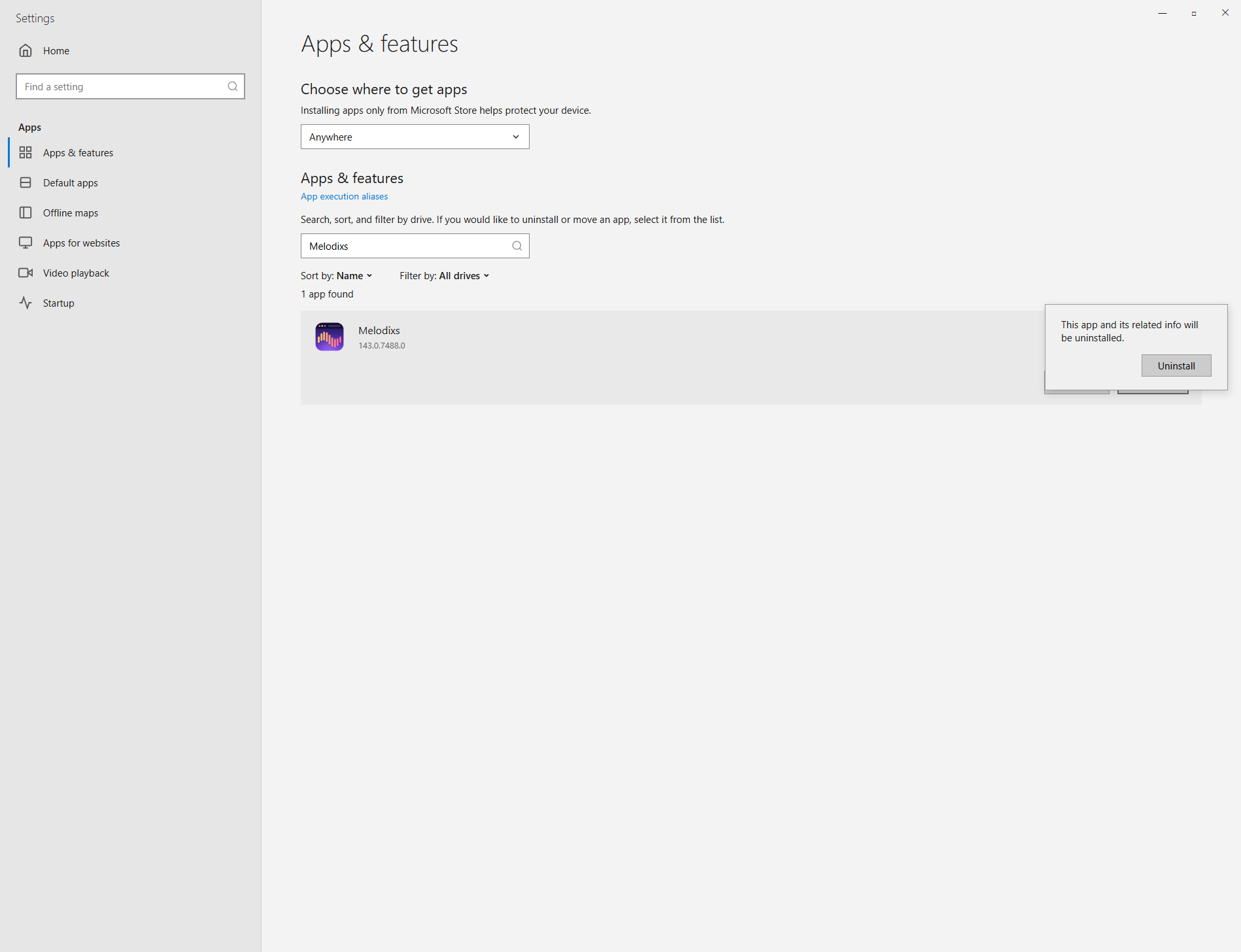
Confirm uninstallation
A confirmation dialog will appear. Click Uninstall to confirm the removal.
-
Uninstall
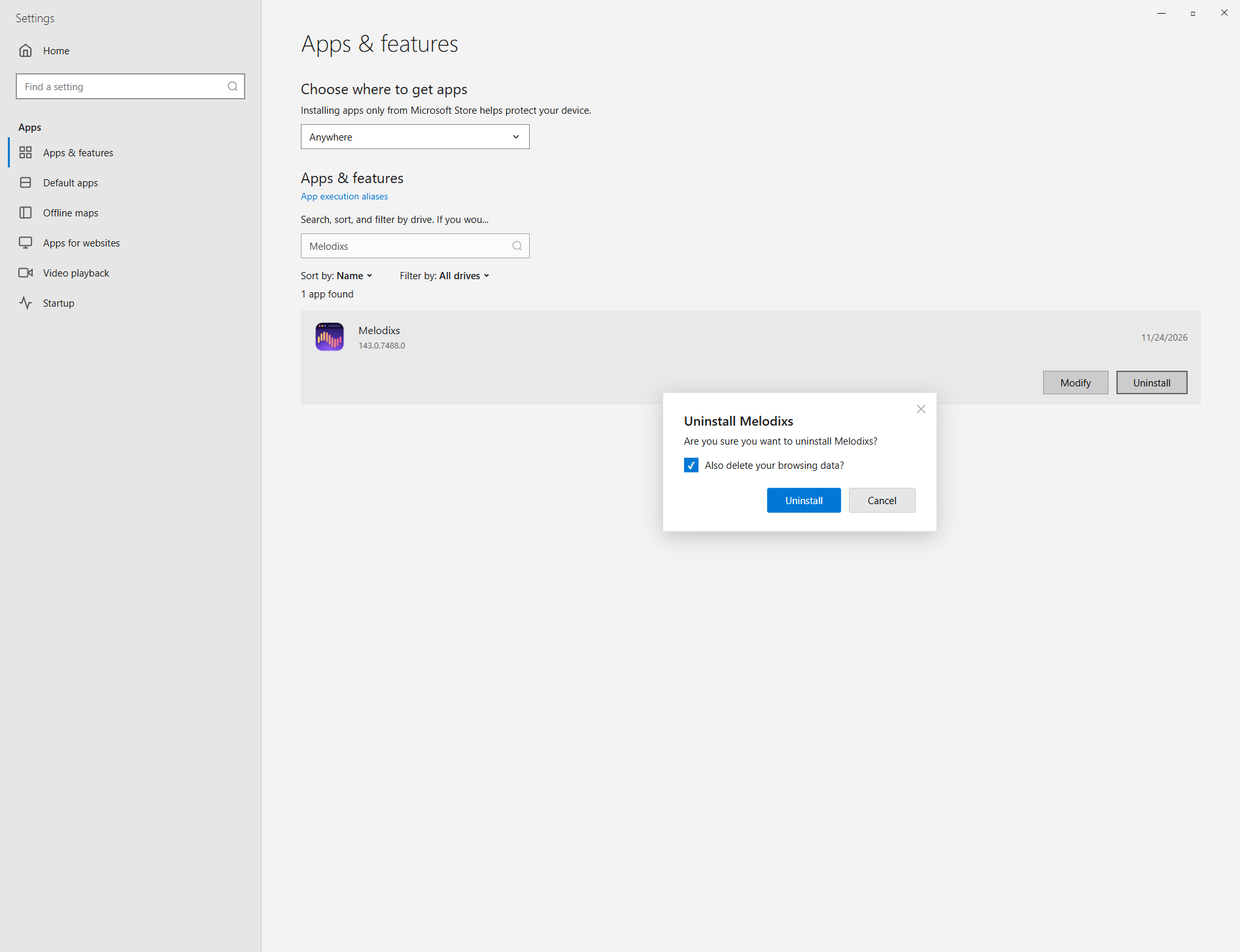
Choose browsing data options
In the final popup, choose whether to keep or remove your browsing data. Check "Also delete your browsing data" if you want a clean removal, then click Uninstall.
Feedback
Sorry to see you go
If something was not working right, we would love to hear about it. Your feedback helps us improve Melodixs for everyone.